

This is my final year, and I think building a small website to write about my experiences over the years of studying and practicing is pretty important, so this website was created for that purpose.
I solved these challenges after 2 years of studying only theory, and I found them quite good for getting started with Reverse Engineering. Hopefully it helps you out if you’re a beginner in this field O_o!
The challenges I had already solved before this:
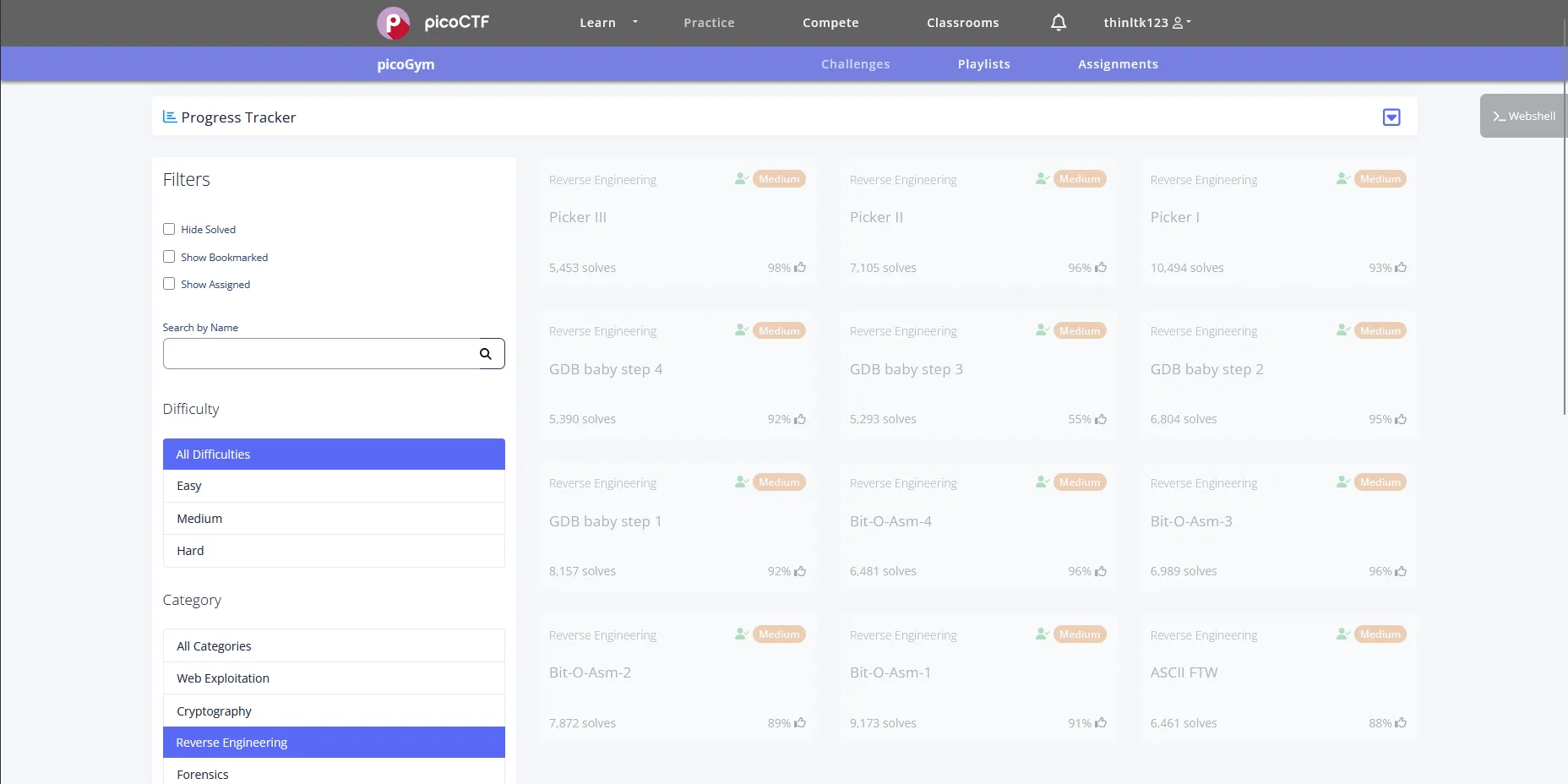
# ASCII FTW
Static analysis
The first step is checking the file type:

ELF 64-bit LSB: This is the standard executable format that runs on Linux.
PIE executable: Position-Independent Executable. It randomizes the binary’s base address via ASLR on every run.
Not Stripped: When this is not stripped, the symbol table is kept intact, making it much easier to identify functions.
Next, let’s read through the strings inside the file:
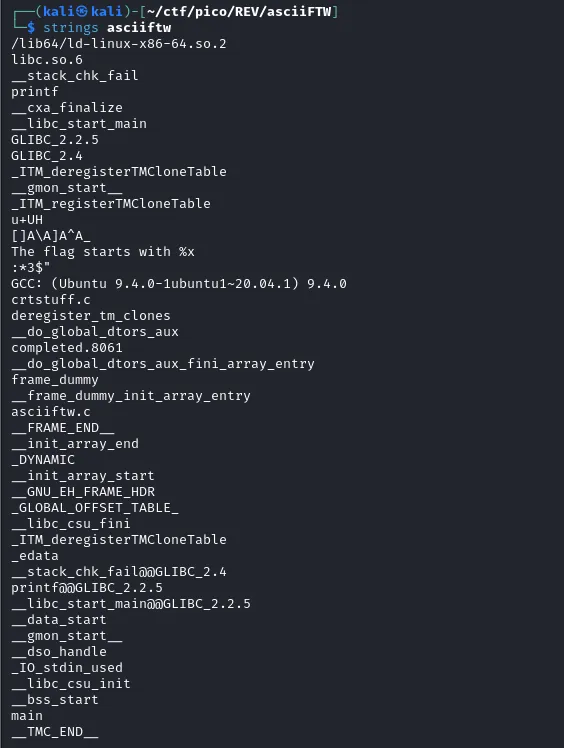
There doesn’t seem to be any hint or flag here, so instead of pulling out more tools for static analysis right away, I decided to just run the file first and see what happens:

Continuing to read through the main function to check its instructions, it does look like it’s talking about the flag through the hex values inside main.
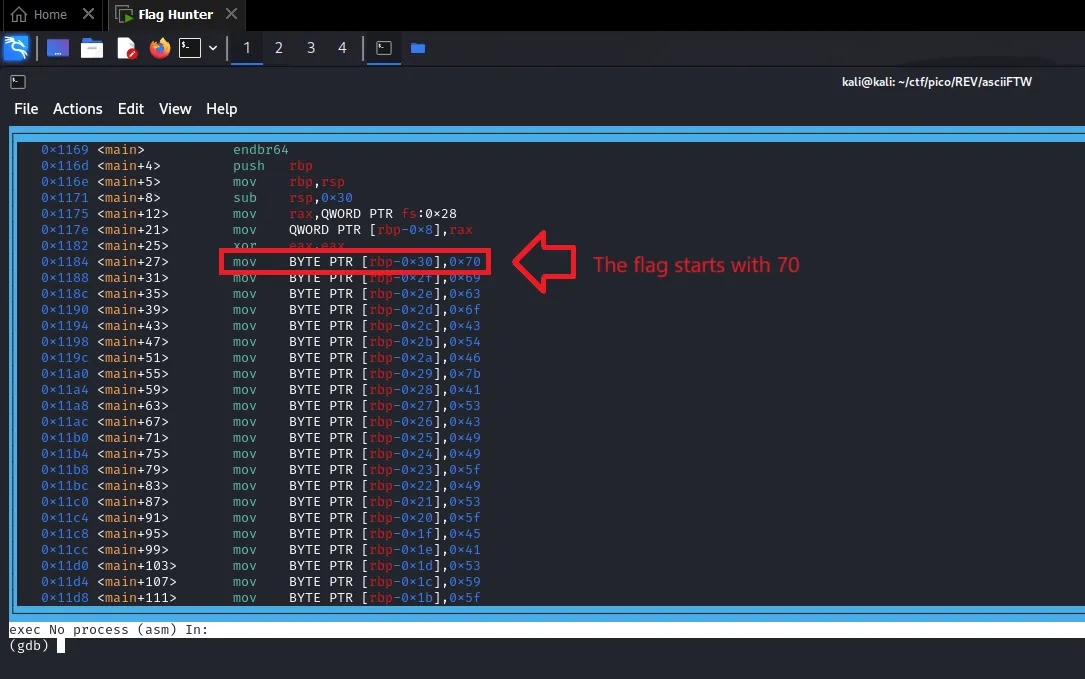
I really like Python because using it as a REPL (Read-Eval-Print Loop) speeds up analysis a lot — here I used it to quickly check the value of the first hex byte 0x70 converted to ASCII, and it does look like the start of the flag, 'p'icoCTF.
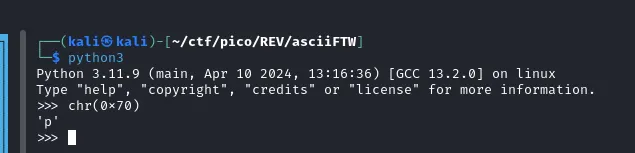
Now that this is confirmed, we can pull out the hex values one by one and convert them to ASCII to get the full flag. From experience, for challenges that want to print out plain text like this, I’d recommend radare2, since it’s a solid analysis tool for handling this kind of task.
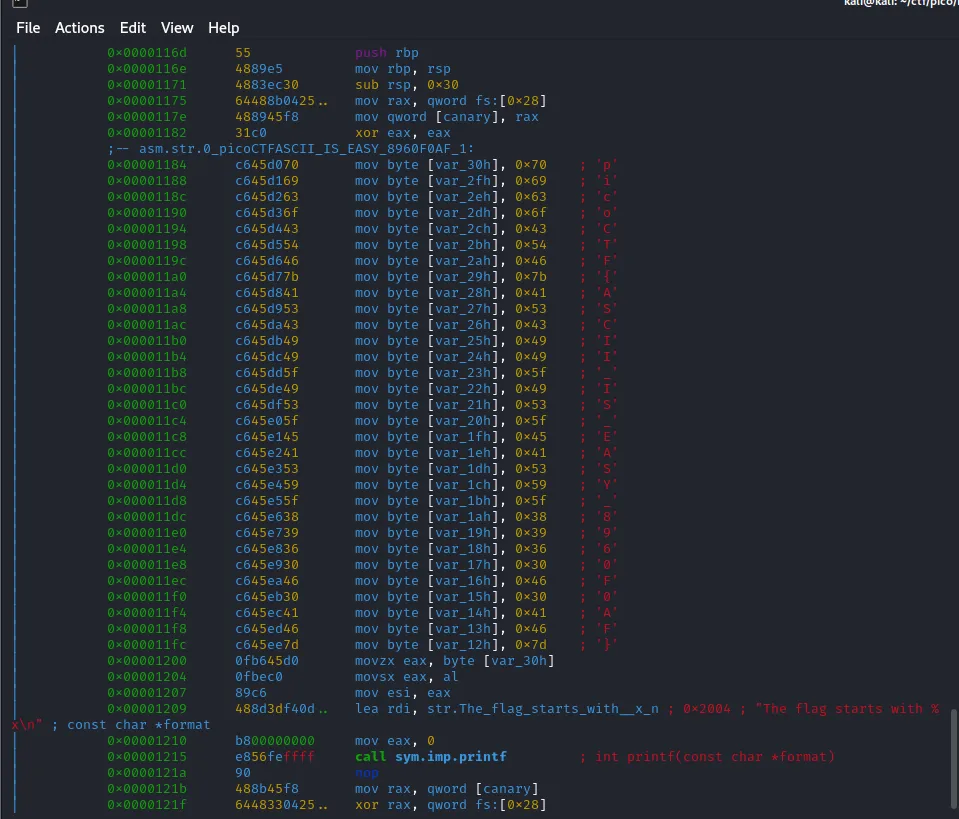
Thanks to its strong analysis capabilities, the flag gets printed out as shown in the image.
Flag: picoCTF{ASCII_IS_EASY_8960F0AF}
#Bit-O-Asm-1
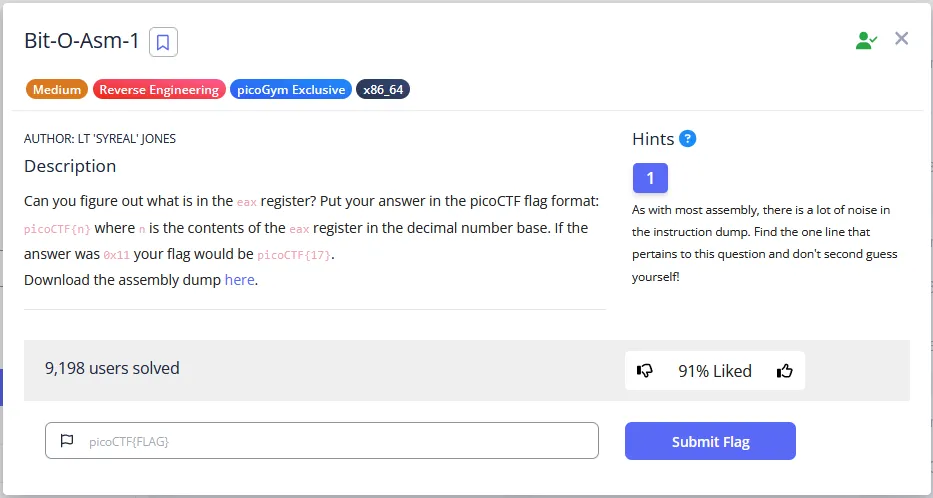
Download the file and open it in Notepad (optional) to read through its contents.
This is a basic assembly code challenge - the mov instruction.
Hint: As with most assembly, there is a lot of noise in the instruction dump. Find the one line that pertains to this question and don’t second guess yourself!
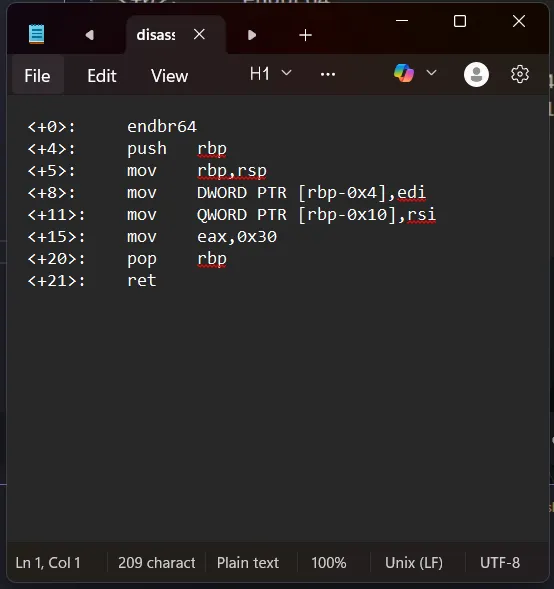
Based on the given hint, we should only focus on what the question is asking — finding the value inside register eax and converting it from hex to decimal.
Reading through the assembly above, we can confirm that eax = 0x30 from the instruction mov eax,0x30. Converting 0x30 to decimal gives 48.
Flag: picoCTF{48}
#Bit-O-Asm-2
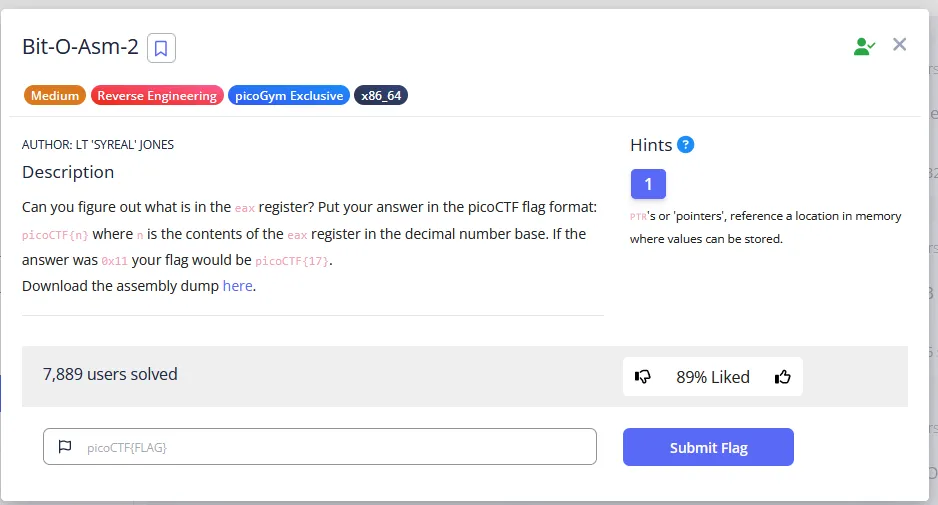
Hints: PTR’s or ‘pointers’, reference a location in memory where values can be stored.
Here the code is a bit different, moving values around a bit before they reach register eax.
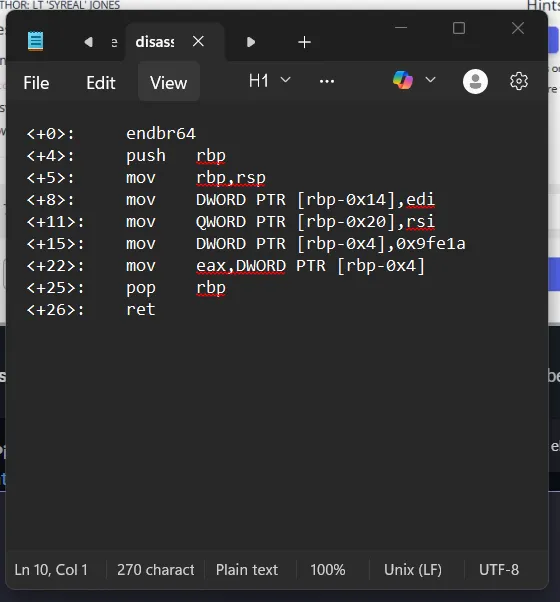
Looking at <+22>, it seems eax is being loaded with an odd value that isn’t a normal-looking hex literal! Our job is to trace back and find out what’s inside it before it’s passed into eax.
After a bit of searching, it turns out <+15> is where [rbp-0x4] gets its value loaded.
<+15>: mov DWORD PTR [rbp-0x4],0x9fe1a
Using Python to convert it to decimal:
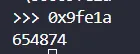
Flag: picoCTF{654874}
#Bit-O-Asm-3
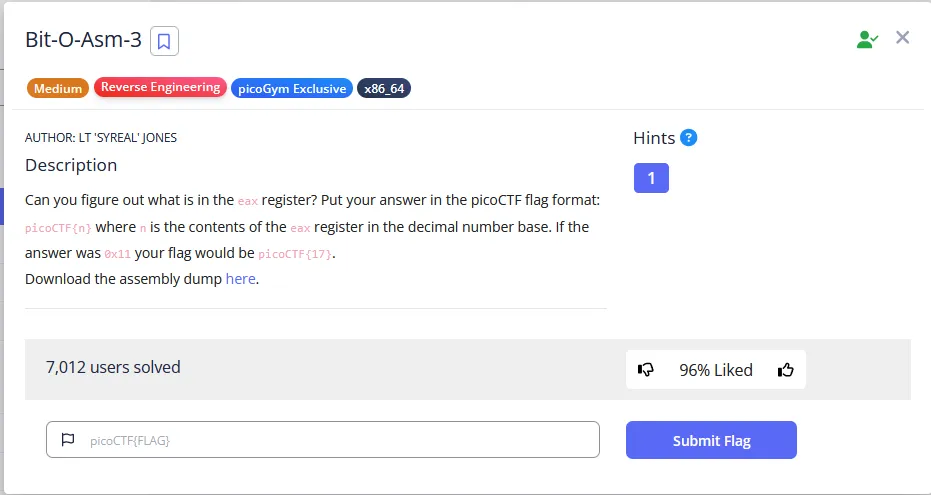
Hints: Not everything in this disassembly listing is optimal.
At this point we already have a rough idea of how assembly code works, so I’ll go through the analysis of this one quickly.
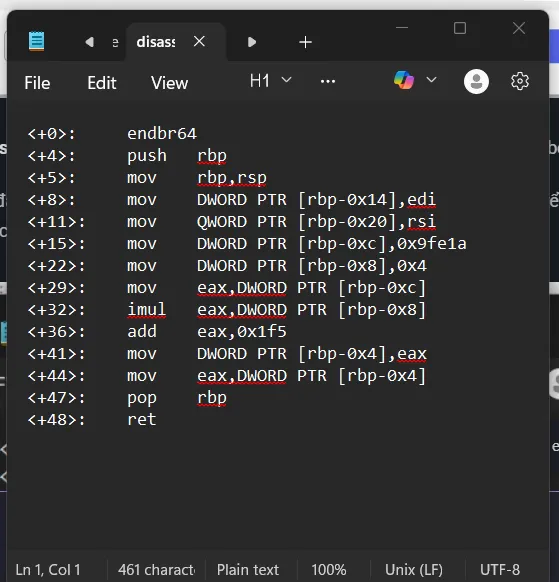
Checking eax shows it’s being loaded with the value 0x1f5, but instead of a mov instruction, it uses add this time - so what does that mean?
- Add: This is the syntax used to add two values together.
Once we understand that, we realize eax already holds a value, and we need to trace back to before the addition is executed.
Looking at line <+15>, we see 0x9fe1a being loaded into memory at [rbp - 0x12], which is then passed into eax. So eax=0x9fe1a; adding it to 0x1f5 gives us 0xa000f, which converts to decimal as 655375.
Flag: picoCTF{655375}
#Bit-O-Asm-4
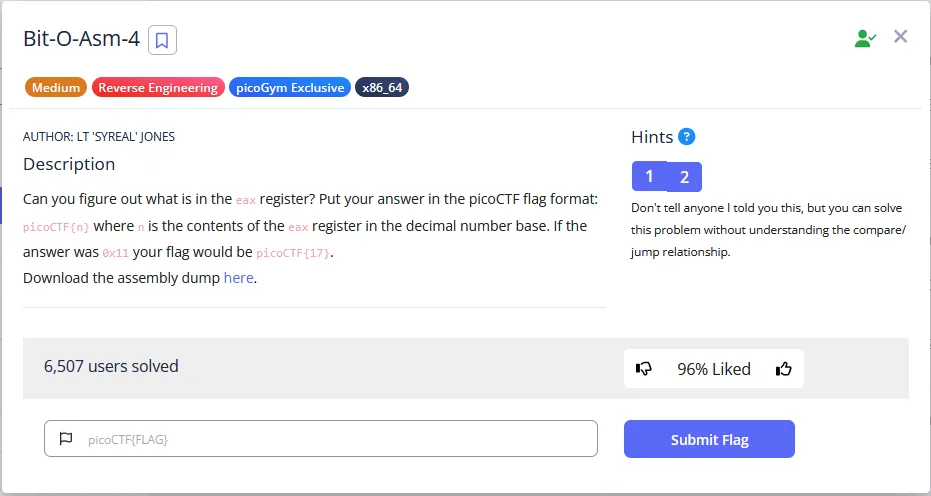
Hint1: Don’t tell anyone I told you this, but you can solve this problem without understanding the compare/jump relationship.
Hint2: Of course, if you’re really good, you’ll only need one attempt to solve this problem.
This is my favorite part: Jump.
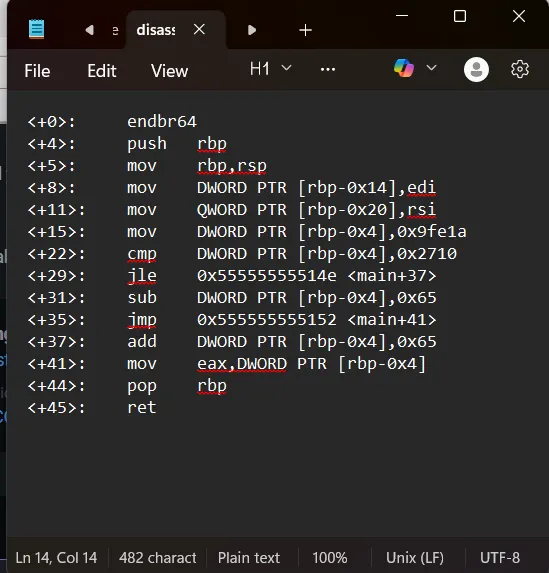
Honestly, jumping back and forth between instructions is pretty interesting, and it also gives a deeper understanding of if-else logic.
Like in the previous three challenges, finding eax is the priority. Following this strategy, we find eax at line <+41>, mov eax,DWORD PTR [rbp-0x4], but when we trace back, this strategy immediately falls apart because there are 2 instructions referencing DWORD PTR [rbp-0x4].
We’ve already seen mov, add, sub, but now cmp, jle, jmp? Worried that this challenge throws 3 whole new instructions at you and you don’t think you’re ready for this much new knowledge? Trust me - these instructions are really just one concept split up into smaller pieces to make things easier to manage.
You can check out more about it here.
Once we understand that, we can go back to the downloaded code. DWORD PTR [rbp-0x4] gets the value 0x9fe1a, then it’s compared against 0x2710.
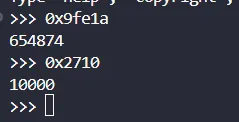
Since 0x2710<0x9fe1a, the jle condition is satisfied, so execution continues to line <+31>, which gives us the result 654773, which then gets loaded into eax. So eax holds the value 654773.
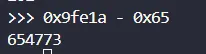
Flag: picoCTF{654773}