
This is the final part of the PicoGym Exclusive series. It focuses on using GDB on Linux. GDB is a powerful reverse engineering tool used as a CLI, and thanks to how well it can read binaries, you can solve pretty much any type of challenge with it.
#GDB baby step 1
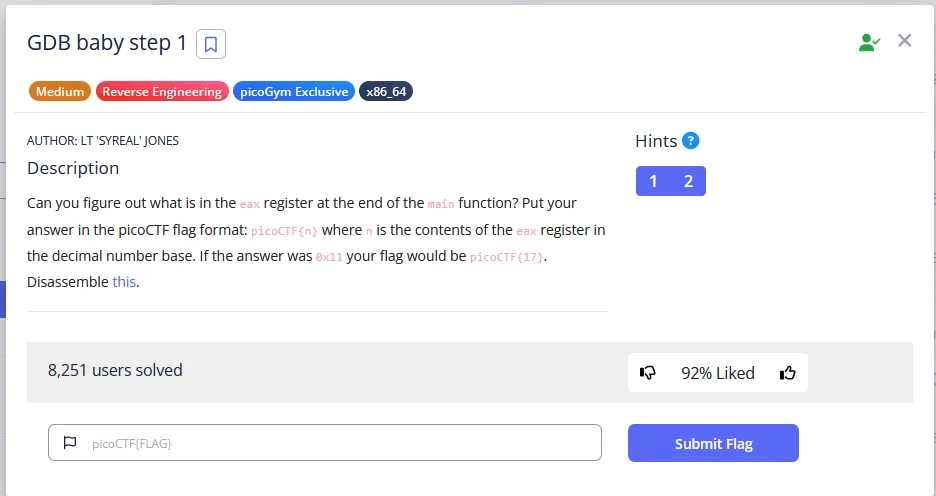
Hints: gdb is a very good debugger to use for this problem and many others!
Download the file and grant it execute permission with the command:
sudo chmod +x [file]
Double check that the permission was actually granted. This matters a lot, since I once forgot to check and it threw off my whole analysis.

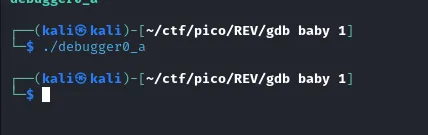
After trying to run the file, nothing seems to get printed and it exits immediately.
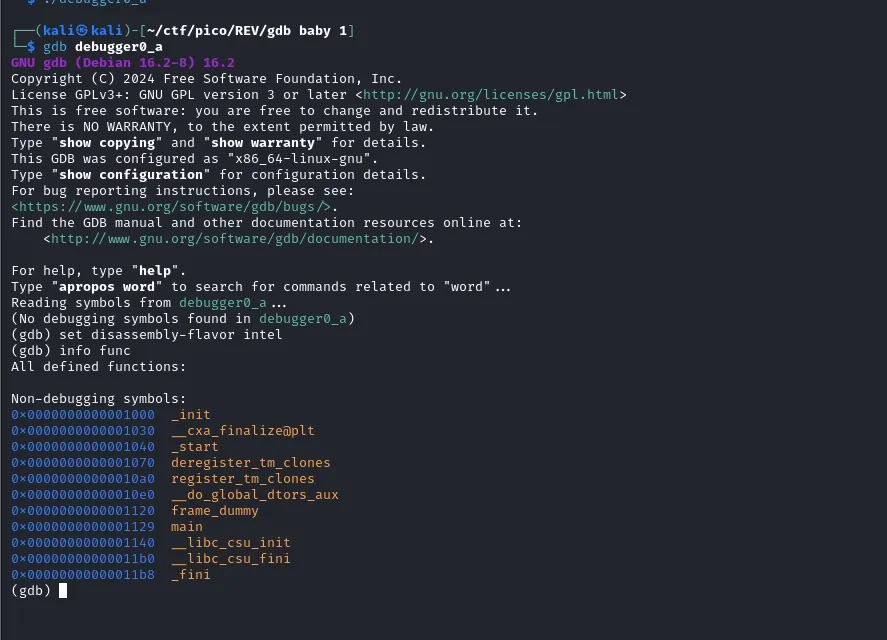
Using gdb to dig a bit further into the file, as the hint suggests, we can get some information through the main function.
To see what’s inside the main function, the next step is to unpack it using the disassemble [func] command.
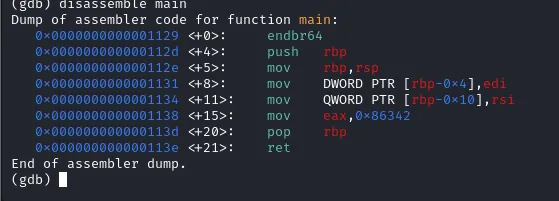
Based on this code, we can say that eax holds the value 0x86342. Converting it with python, we get:
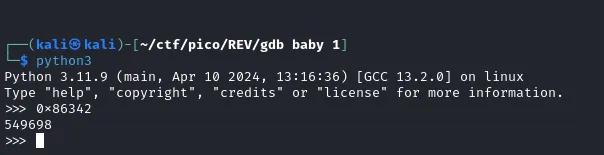
Flag: picoCTF{549698}
#GDB baby step 2
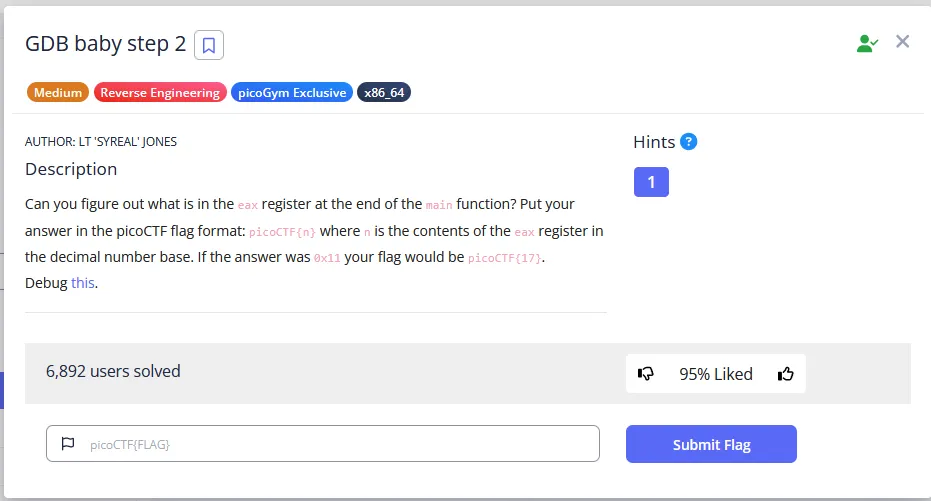
Hints: You could calculate eax yourself, or you could set a breakpoint for after the calculcation and inspect eax to let the program do the heavy-lifting for you.
Personally, I feel like this challenge is just a basic exercise in using
breakpoints, because in challenges I’ve come across so far, you’ll never actually get to use one unless you notice it or spot it while analyzing the file.
NOTEThis is one of the core concepts in reverse engineering tools.
Just like in the first challenge, grant it execute permission and run it. The result is the same as before > No output. Use gdb to analyze it.
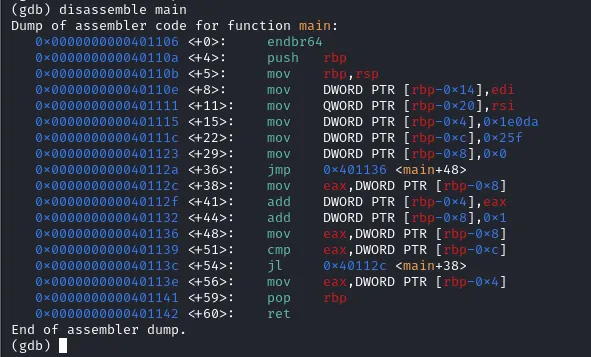
Doing the math by hand doesn’t change the final result, but knowing how to use a breakpoint saves time and avoids miscalculating when the code goes through multiple loop iterations.
Using the syntax break [address] based on the main function, we can read the result of eax at line <+56>.
NOTEWhen using
break, it needs to be set before the piece of code whose result you want to grab - because it has to fall within thebreakrange.
We’ll set a break at line <+59> in order to grab the data from the line above.
Then use print $register to print out the result:
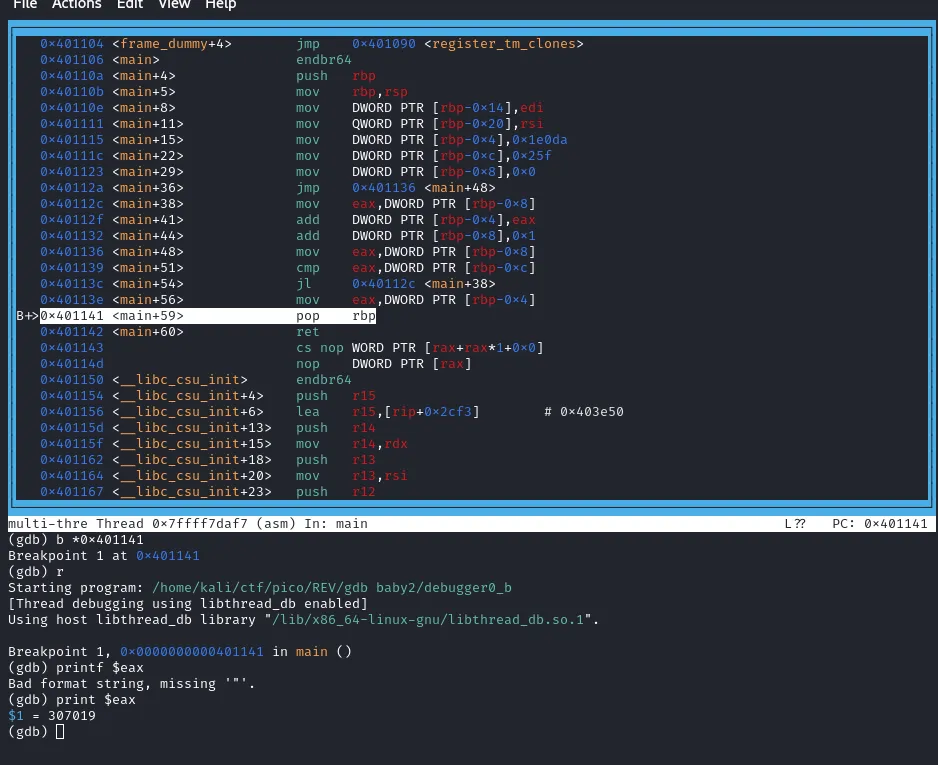
Flag: picoCTF{307019}
#GDB baby step 3
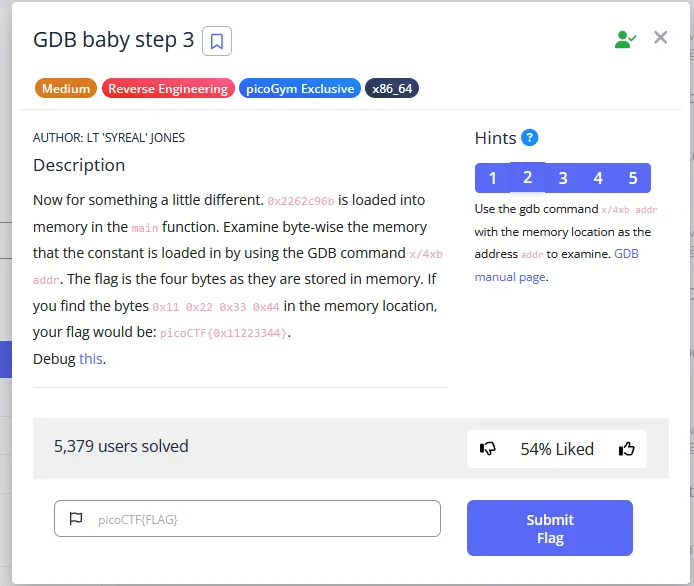
This one has to do with the memory layer, since this time the author deliberately hid the flag inside the memory of the
mainfunction.
TIPTo understand this part, I’d recommend reading up on Endianness first, which helps explain why there’s a distinction between Big-endian (BE) and Little-endian (LE).
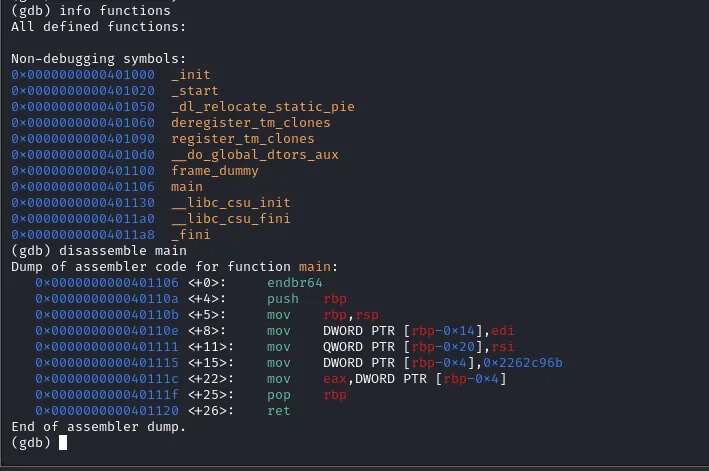
Starting with the analysis of the main function, just as the challenge description says, 0x2262c96b gets loaded into eax.
Set a break at the right spot and start inspecting what’s inside $eax.
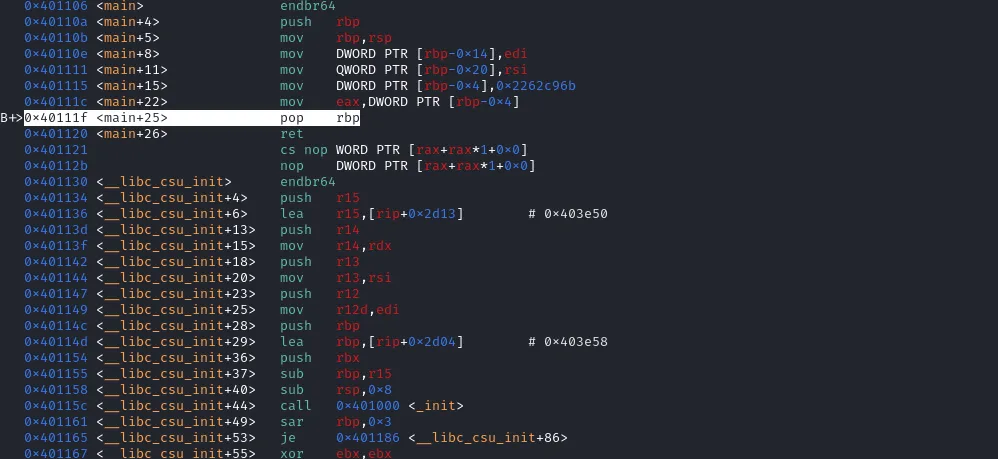
Now, to find out what value rbp-0x4 holds before it reaches eax - it’s actually 0x2262c96b. But here’s something interesting: it’s not stored exactly as the value we entered, because it uses the Little-endian architecture for storage.
Using the command x/4xb, which has the following structure:
- x - examine
- n - repeat count
- f - display format
- u - unit size
$addr - $ is used as a reference and doesn't use square brackets []
Flag: picoCTF{0x6bc96222}
#GDB baby step 4
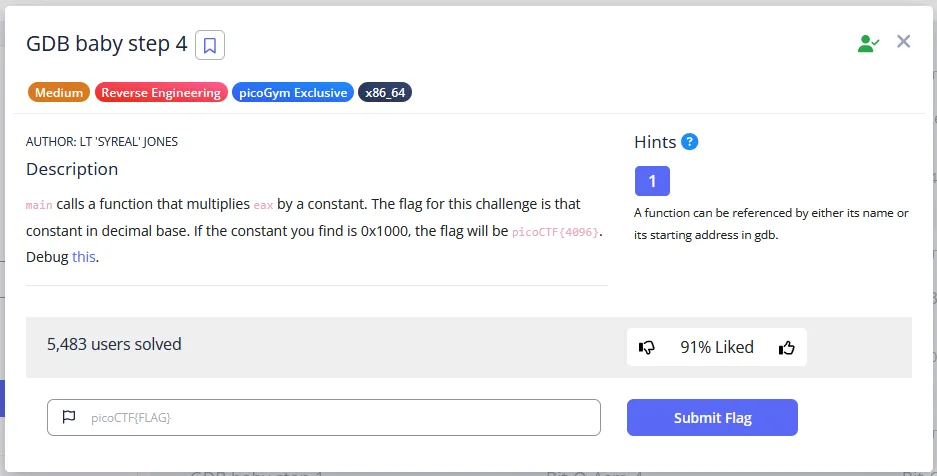
Hints: A function can be referenced by either its name or its starting address in gdb.
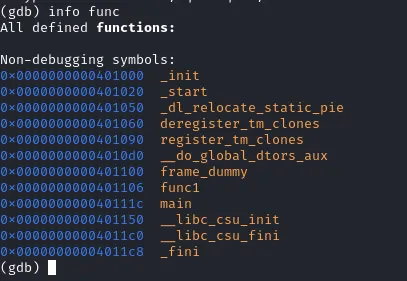
This time, if you look at the functions list, there’s an extra one:
func1. I’ll go over it as we analyze themainfunction.
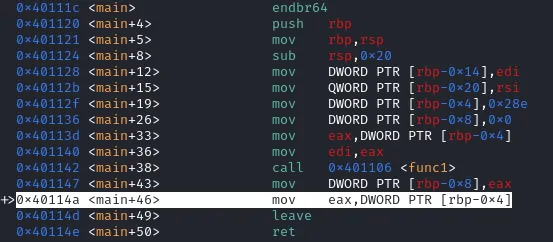
Reading through the main function, there’s nothing much going on besides moving the value 0x28e around and finally calling the code segment at 0x401106, which is func1.
So the next step is to read through the func1 function.
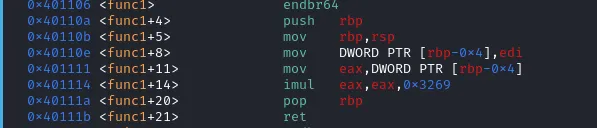
Inside func1 there’s a new instruction with the syntax imul, which means integer multiply.
Breaking down this instruction:
- eax (1st) - where the result gets stored
- eax (2nd) - the number being multiplied
- 0x3269 - the multiplier
=> take eax (2nd) * 0x3269 and store it into eax (1st).
The flag the author wants is this multiplied number, in decimal form.
Flag: picoCTF{12905}